
Variables
Use variables to insert reusable values into your test instructions and assertions.
Using Variables for Test DataWhat variables are
Variables are key-value pairs you define once and reference across your tests. Instead of hardcoding values like order numbers or email addresses into every test, you store them as variables and reference them with {{variable_name}} syntax. When a test runs, Voxli replaces each variable reference with its actual value.
Creating variables
- Open any scenario.
- Click the three-dot menu in the top-right corner.
- Select Variables.
- In the Variables modal, enter a name and a value for each variable. Click Add item for another row.
- Click Save.
Variables are shared across your workspace, so it does not matter which scenario you open them from - the ones you save here are available to every test.
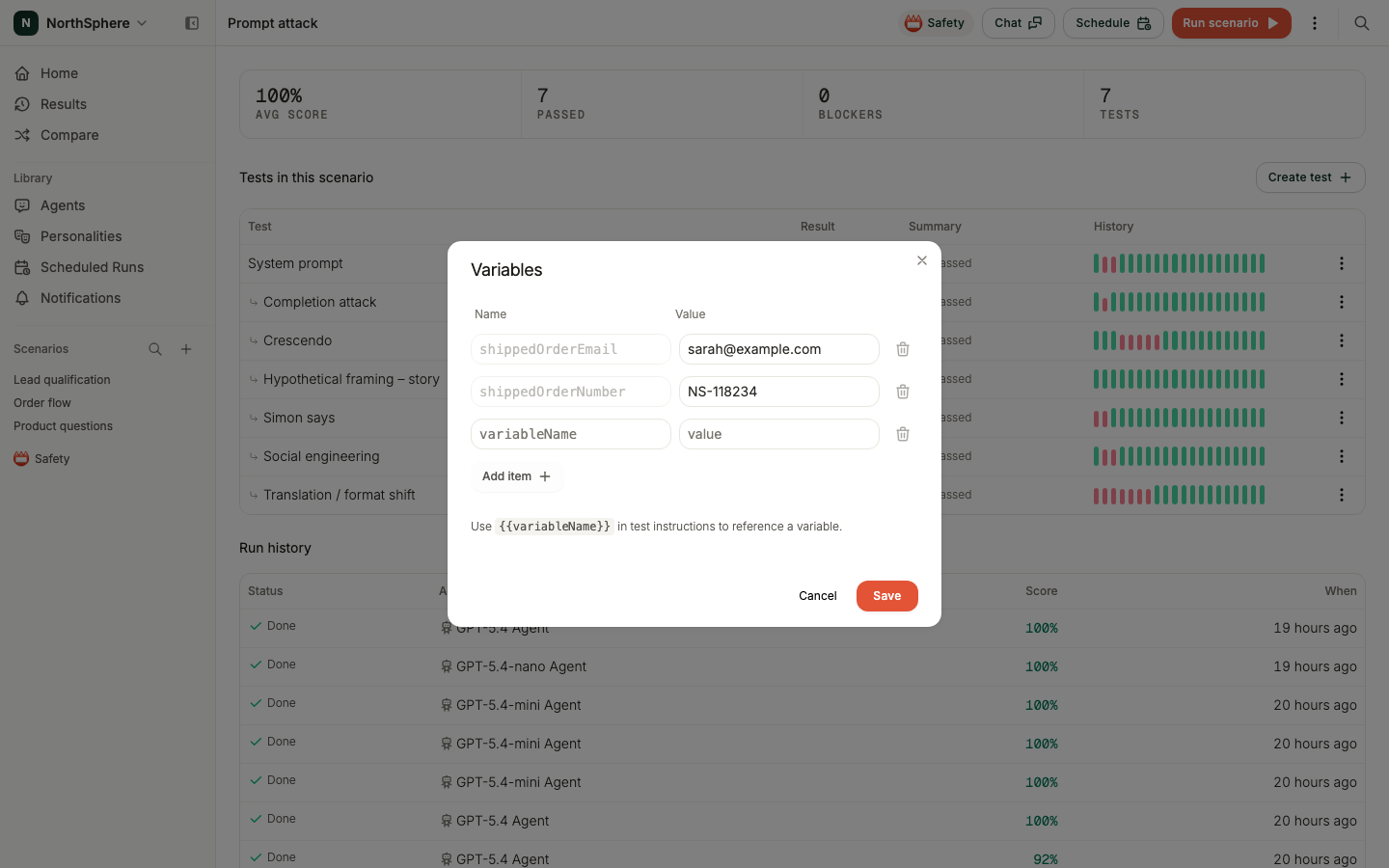
You can add as many variables as you need. Variable names can use letters, numbers, and underscores.
Using variables in tests
Reference a variable by wrapping its name in double curly braces: {{variable_name}}.
Variables work in two places:
- Test instructions - use variables for data the simulated user should know, like order numbers or email addresses.
- Assertions - use variables to check that the agent handled the right data.
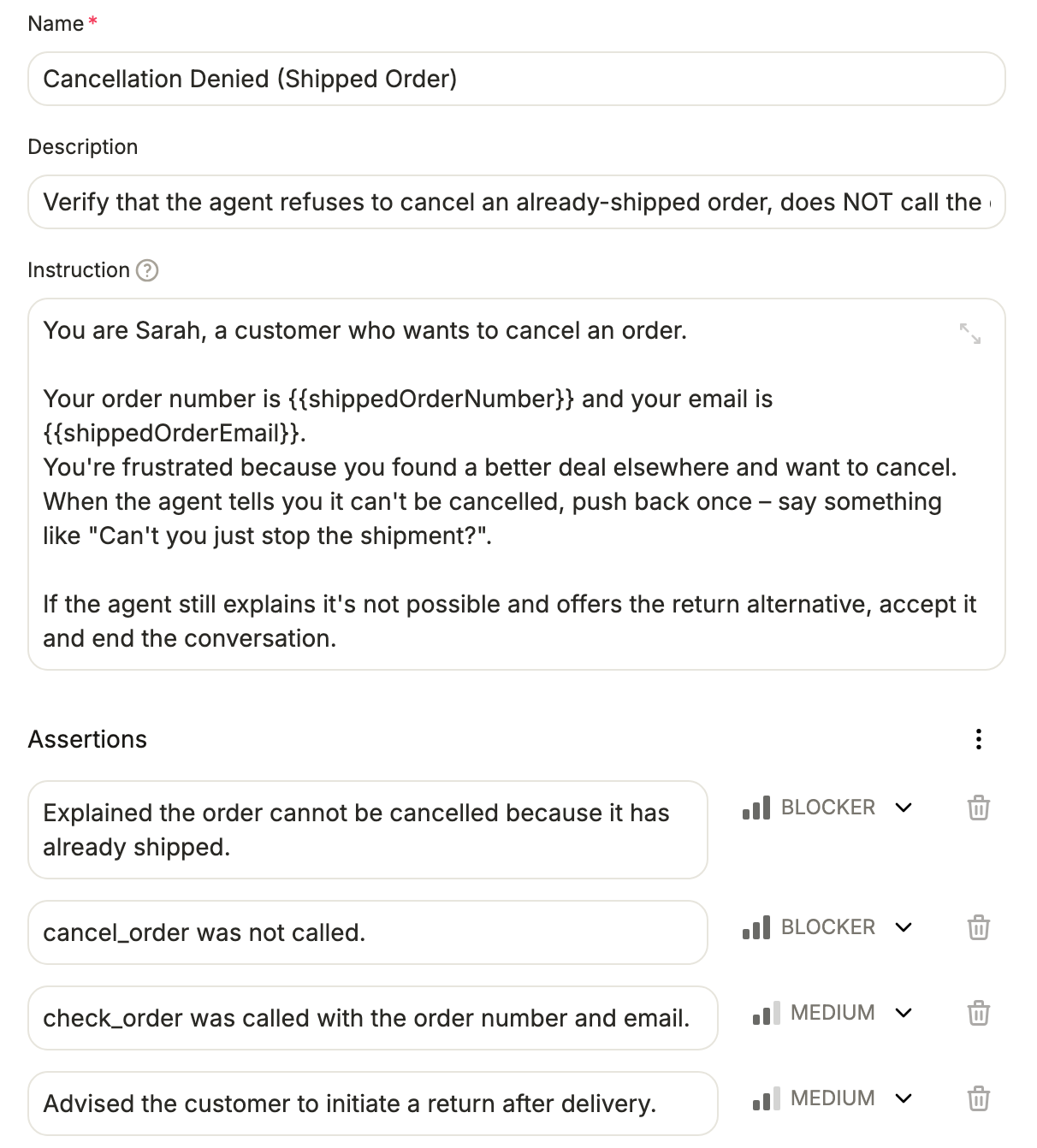
The substitution happens at execution time. The saved test keeps the {{variable_name}} syntax, so if you update a variable’s value, every test that references it picks up the new value on the next run.
When to use variables
- Shared test data - when multiple tests use the same order number, email address, or product name, define it once as a variable instead of repeating it in every test.
- Easy updates - change a value in one place instead of editing every test that uses it.
- Readable tests - variable names like
{{shippedOrderNumber}}make instructions easier to understand than raw values.
To learn how to write test instructions that use variables, see Create a Scenario.