
What is Voxli?
Voxli is an automated testing platform for conversational AI agents.
What Voxli does
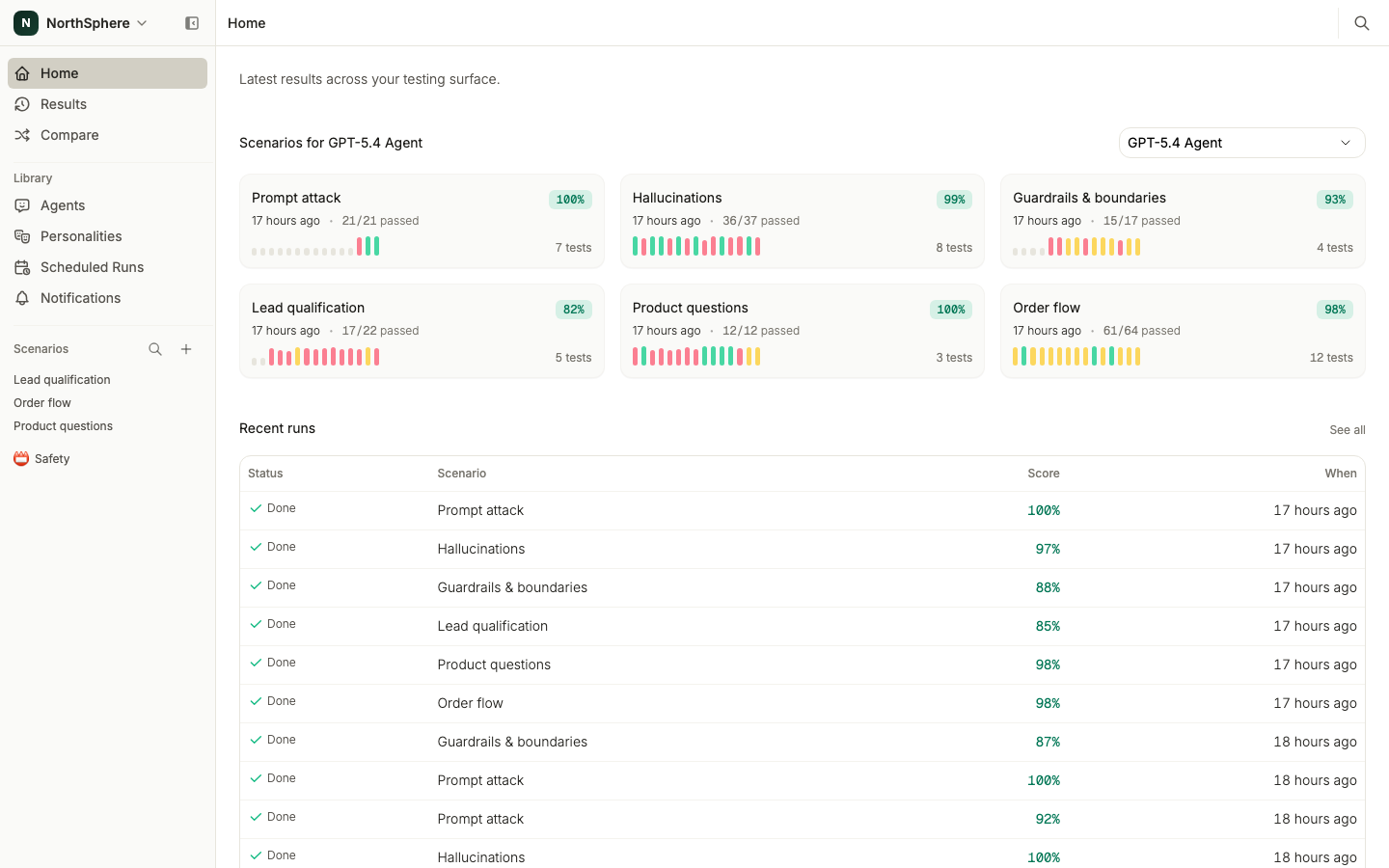
Voxli tests your AI agents automatically - whether they handle customer support, sales, or any other conversational workflow. It simulates real user conversations, checks that your agent responds correctly, calls the right tools, and follows your business rules. You define what to test once, then run those tests whenever you want - catching multi-turn failures and tool-calling issues before your customers do.
The core loop
Every testing workflow in Voxli follows the same pattern:
- Create a scenario - a collection of related tests (e.g., “Order Flow” or “Lead Qualification”).
- Write tests - each test describes a conversation to simulate and what to check.
- Run the scenario against an agent - Voxli plays the role of a user and talks to your chatbot.
- Inspect results - review conversation transcripts, assertion outcomes, and scores.
- Iterate - refine your tests or fix your agent, then run again.
Key concepts
Scenario - A group of tests that cover a feature or workflow. For example, an “Order Flow” scenario might contain tests for checking order status, canceling an order, and requesting a refund.
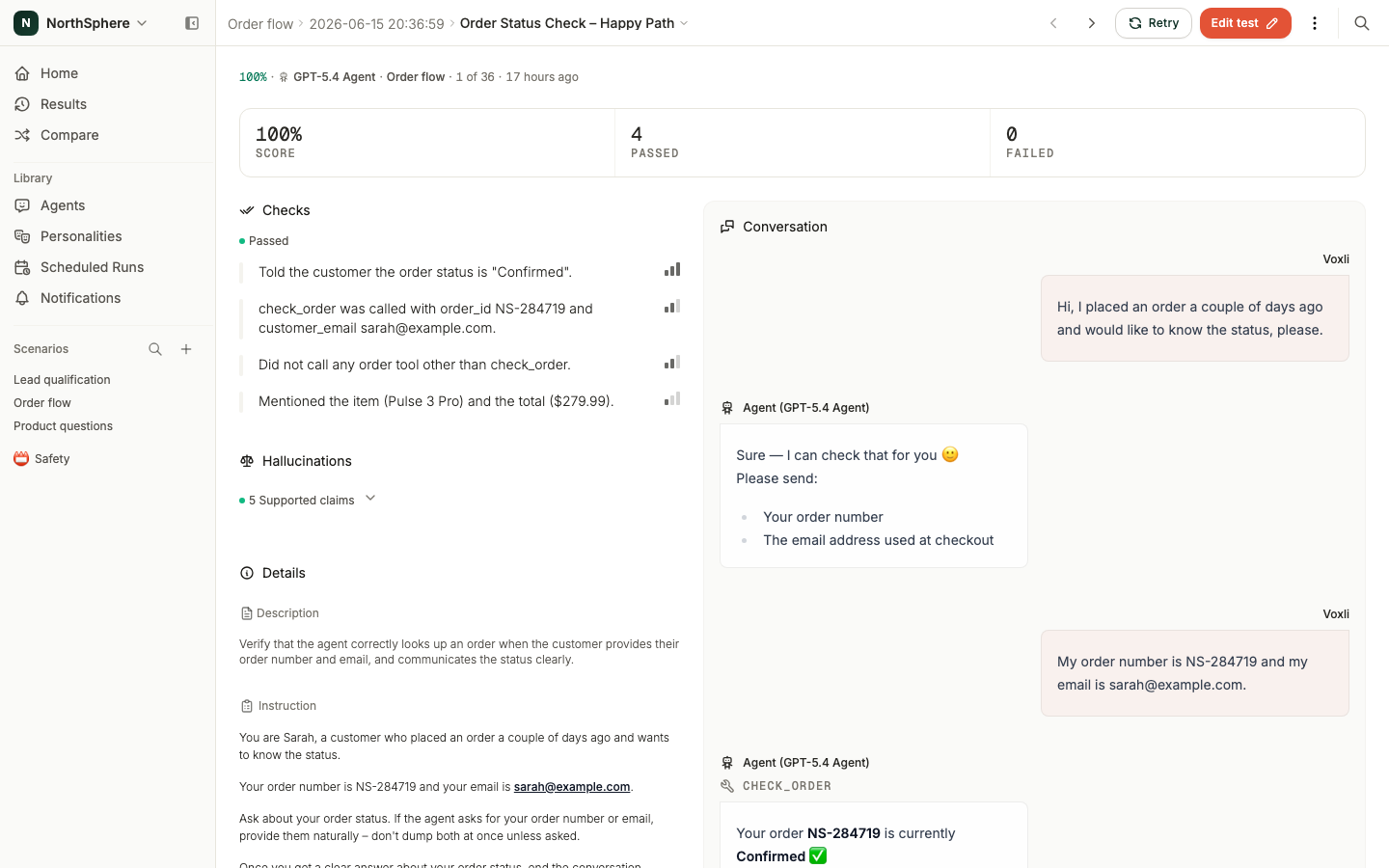
Test - A single conversation to simulate. Each test has an instruction that tells the AI tester what to do, and assertions that define what to check.
Instruction - Free-text directions for the AI tester. For example: “You’re Sarah, your order number is NS-28479. Ask about your order status and provide your details when asked.”
Assertion - A pass/fail check evaluated after the conversation. For example: “The agent correctly stated the order status is confirmed.” Each assertion has a severity level - blocker, medium, or low - that determines how much it affects the overall score.
Agent - The connection between Voxli and your chatbot or AI assistant. Voxli supports several agent types - a built-in demo agent for learning the platform, an API agent for full control over conversations, a GitHub agent for CI workflows, and a local agent for one running on your own machine. See Agents for the full list.
Run - One execution of a scenario against an agent. A run produces one test result per test in the scenario.
Score - A weighted percentage based on assertion results. Blocker assertions carry more weight than medium or low ones. See Assertions for the full formula.
What’s next
Ready to get started? Head to Create a Scenario to set up your first test.
For API integration, see the Introduction in the developer docs.