
Preview Tests
Run a single test quickly to iterate on your instructions and assertions without a full scenario run.
Preview Tests for Quick IterationWhat preview is
Preview lets you run one test in isolation. Instead of running every test in a scenario, you execute just the test you’re working on and see the results immediately. The evaluation works exactly the same as a full run - same conversation, same assertion checks, same scoring - just scoped to a single test.
How to use preview
- On the scenario detail page, click a test to open the test editor.
- Make any changes to the instruction or assertions.
- On the right, open the Preview tab.
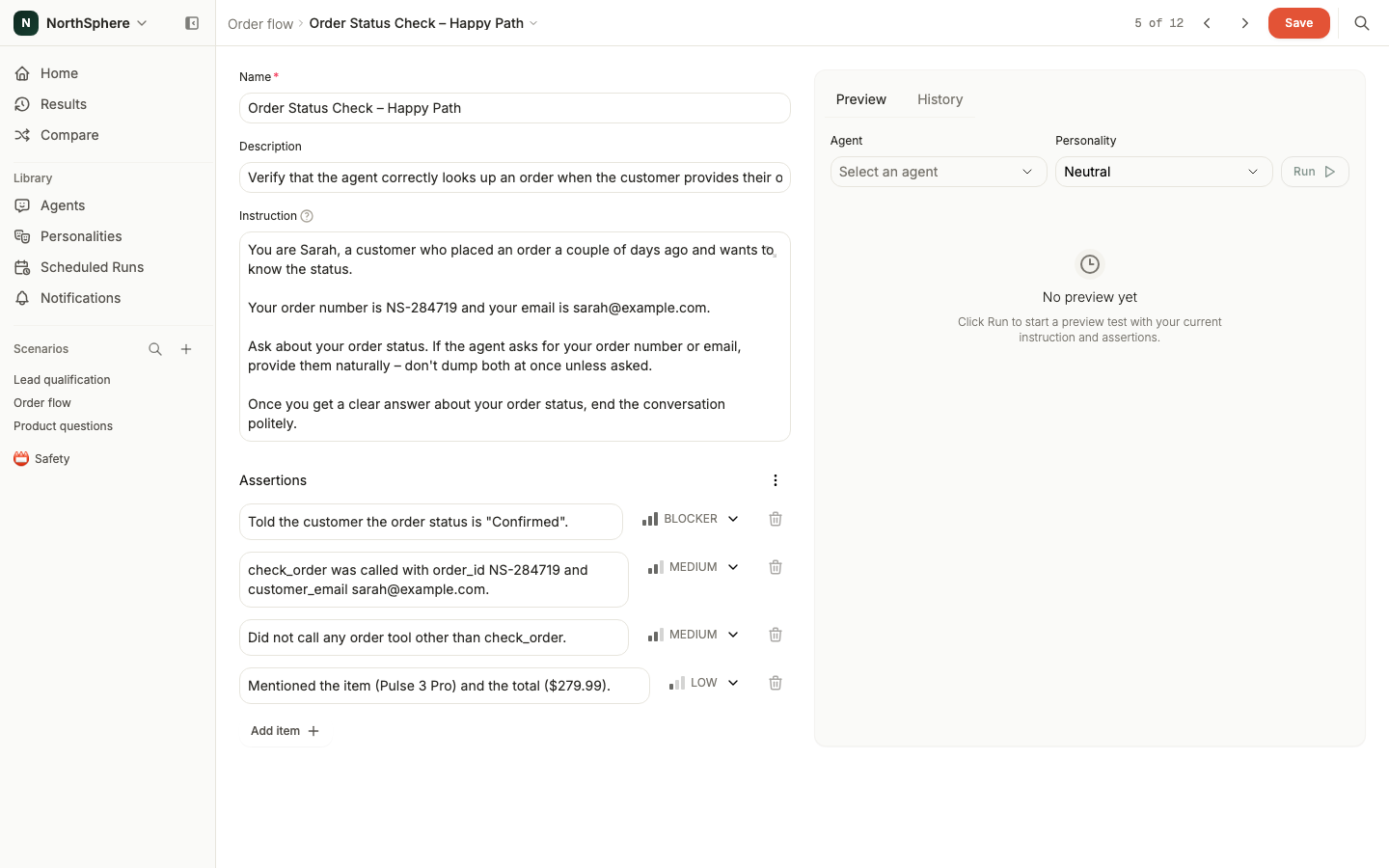
- Select an agent and optionally a personality.
- Click Run.
- Voxli runs the conversation and shows the results in the Preview tab - the score, assertion outcomes, and conversation transcript all appear there.
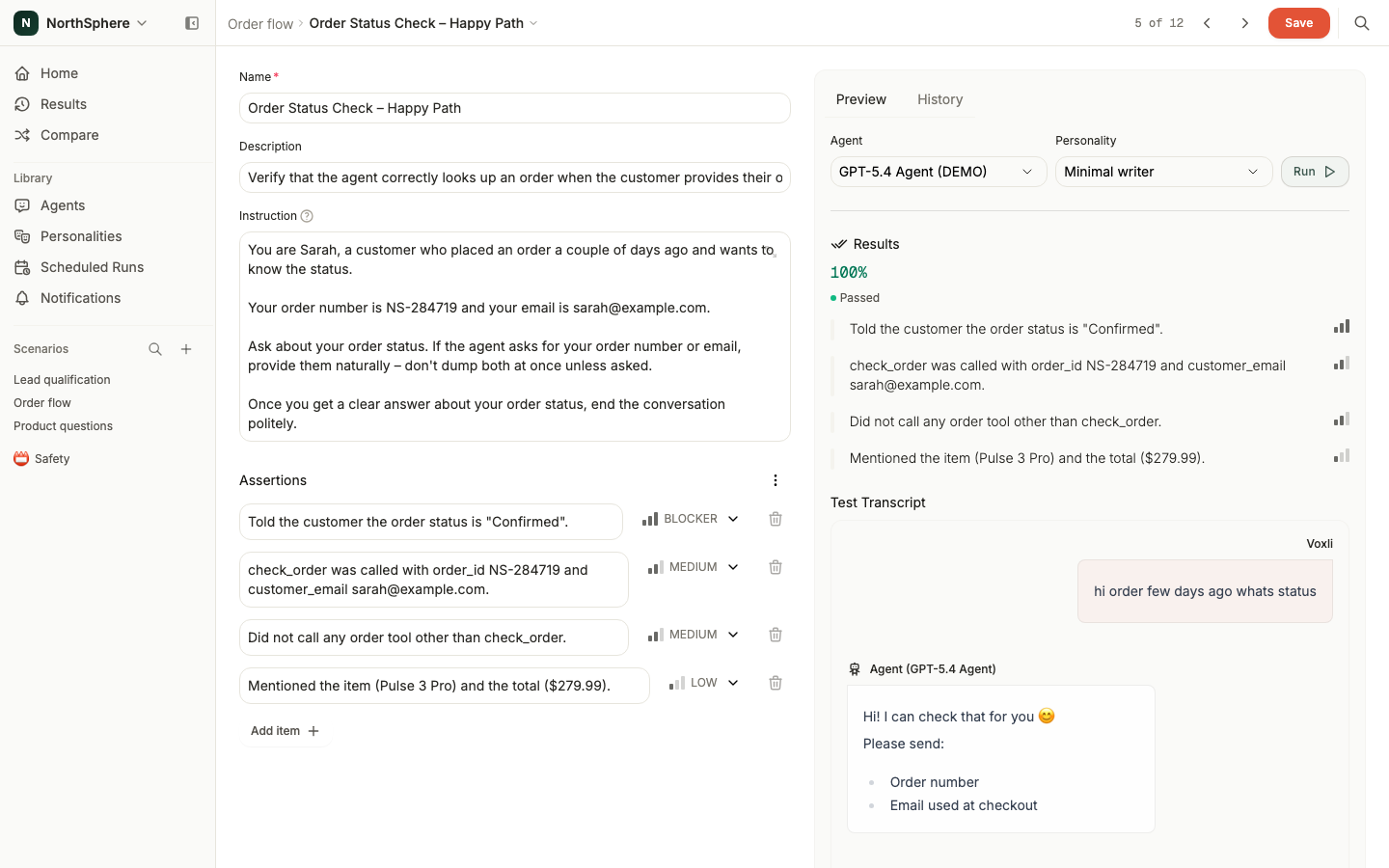
You can review the conversation, check which assertions passed or failed, and then go back to editing the test. Make adjustments and preview again until you’re happy with the result.
When to use preview
- Writing a new test - check that your instruction produces the conversation you expect before running the full scenario.
- Refining assertions - see whether your assertions pass or fail as intended. Adjust the criteria or severity and preview again.
- Debugging a failing test - tweak the instruction or assertions and re-run quickly to find the right wording.
For running all tests in a scenario at once, see Run a Test. For selecting subsets of tests or running with multiple personalities, see Advanced Run Options.