
Comparing Agents
Lay a handful of runs side by side to answer “is this ready to ship?” or “which agent does better?” in one view.
Comparing Agent PerformanceA comparison answers two kinds of questions:
- Is this run good enough? Read one run’s score, blockers, and warnings.
- Which does better? Lay two or more runs side by side and read the deltas between them - two agents, two versions of the same one, or a run from before and after a fix.
Starting a comparison
- From a run’s own page, click Compare. It opens with that run as the only column, and becomes a saved, shareable comparison once a second run joins.
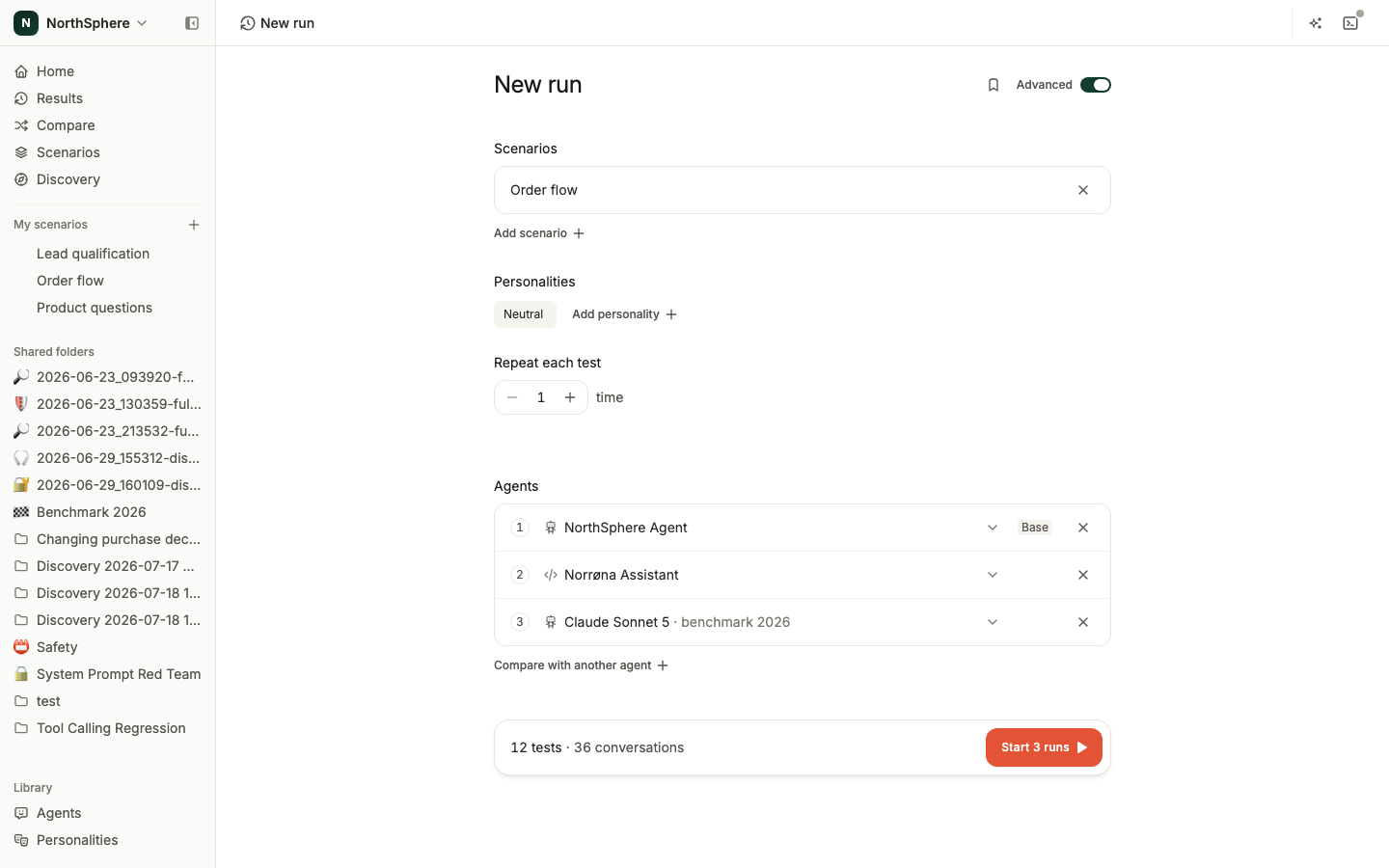
- From New run, turn on Advanced, add more than one agent, and click Start 2 runs (the number follows the agents). Launching several agents at once creates a comparison of the new runs. See Advanced Run Options.
- From the Compare page in the left sidebar, click New comparison, or add existing runs to a comparison you already have.
A comparison holds up to 6 runs. They don’t have to match: different agents, different scenarios, and different personalities are all fine, and a column with no data for a row shows a dash instead of a zero.
Reading the report
Each run is a column, headed by when it started, the preset it came from (if any), and its agent. Rows come in a few groups:
- Score, Blockers, Warnings lead the report with no heading above them.
- Hallucinations (Total, Rate, Hedged) shows up once hallucination detection is on for your workspace. A column that hasn’t been through detection yet shows a Detect hallucinations action instead of numbers.
- Metrics shows whatever your workspace ticked for the metric strip under Settings > Metrics, with the rest available behind Show all.
- Scenarios and Personalities each get one score row, covering everything any column in the comparison ran.
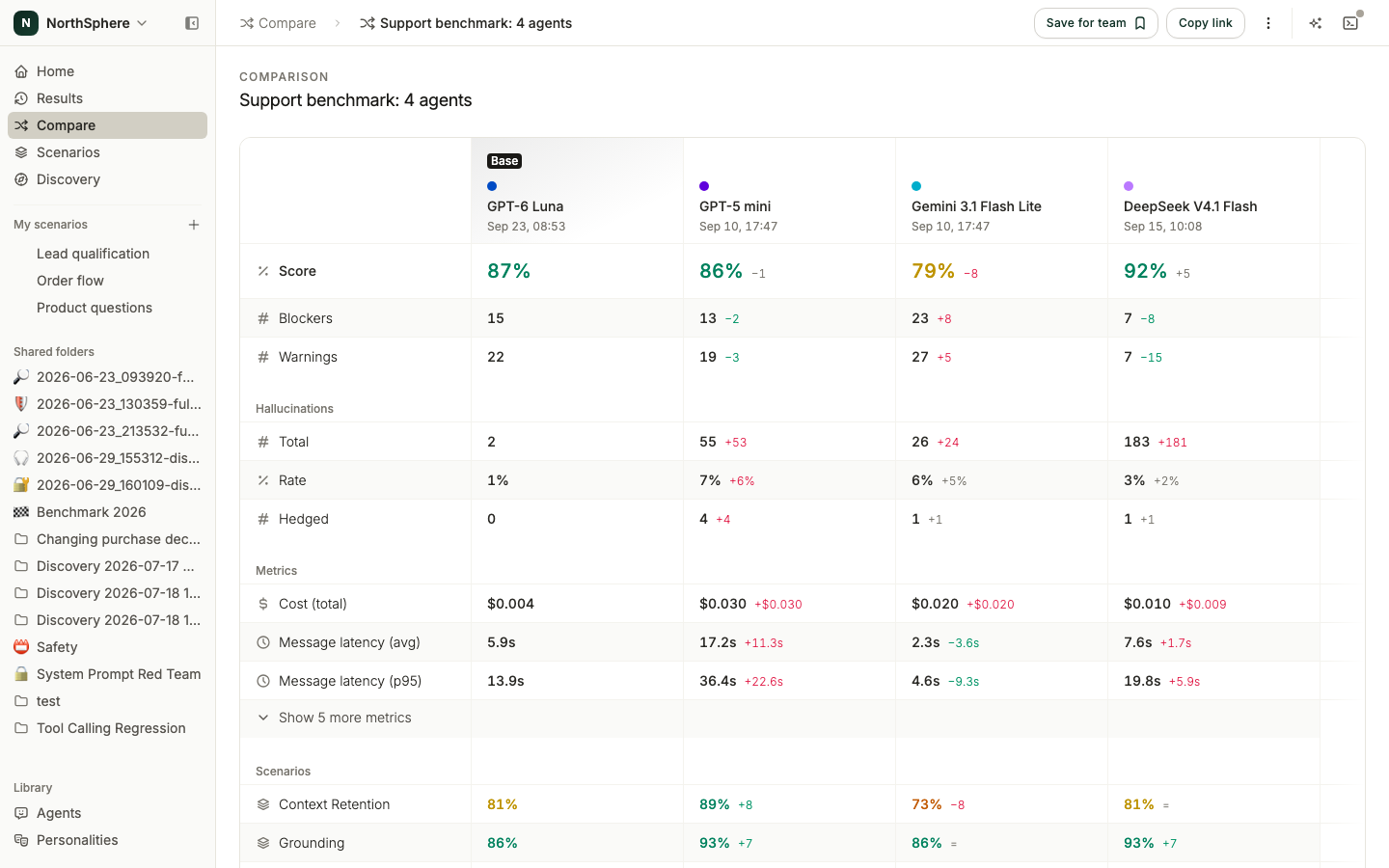
One column is the base. Every other column shows a colored delta against it: green for better, red for worse, and a quiet = when the two are tied. Set a different column as the base from its menu to measure everything against that run instead.
Column actions
Each column’s menu offers:
- Set as base - measure every other column against this one.
- Run again - opens New run filled in from that column; the new run is appended to this comparison.
- Open - takes you to that run’s own page.
- Remove - drops the column from the comparison.
Drag a column by its grip to move it. Click Add to bring in another run, either from the picker of recent runs or by starting a new one. Scheduled runs don’t appear in the picker.
Saving and sharing
A comparison always has its own link, so you can send it to a teammate as soon as it exists. Click Save for team to pin it into Saved comparisons on the Compare page, where the whole workspace can find it. A personal Recent list also tracks the comparisons you’ve opened in the last 30 days, saved or not, and search finds any comparison by name or agent.
From a comparison’s menu you can also Copy link, Duplicate it into a separate comparison, or Archive it (with a confirmation; archiving can’t be undone from the UI).
Examples
- A better model can make your agent worse shows why a model swap needs tests on your own agent.
- Voxli model benchmark compares models on the same multi-turn test suite. Use it to choose models to test, then compare them on your own scenarios.
What’s next
- How Metrics Are Summarized - how the summary and average numbers are calculated.
- Custom Metrics - define the measurements the Metrics block offers.
- Advanced Run Options - start several agents at once to build a comparison from New run.