
Scheduled Runs
Automate your testing by scheduling scenarios to run on a recurring basis.
Scheduling Runs and AlertsWhat scheduled runs are
A scheduled run executes a scenario against an agent automatically on a schedule you define. Instead of clicking Run manually, Voxli runs your tests at the times you set - every morning, every weekday, or whatever cadence makes sense for your workflow.
Use scheduled runs to catch regressions without manual testing. If something breaks, you find out on the next scheduled run - not the next time a customer runs into it.
Setting up a scheduled run
- Go to the Scheduled Runs page in the left sidebar.
- Click Schedule new.
- Fill in the form:
- Name - a label for this schedule (e.g., “Monday morning”).
- Scenario - which scenario to run.
- Agent - which agent to test with.
- Personality - optionally select a personality. Defaults to Neutral.
- Schedule - describe when to run in natural language (e.g., “Every weekday at 9am”). Voxli interprets this and sets up the cadence.
- Timezone - select the appropriate timezone.
- Enabled - enable or disable this scheduled run. Enabled by default.
- Click Create Schedule.
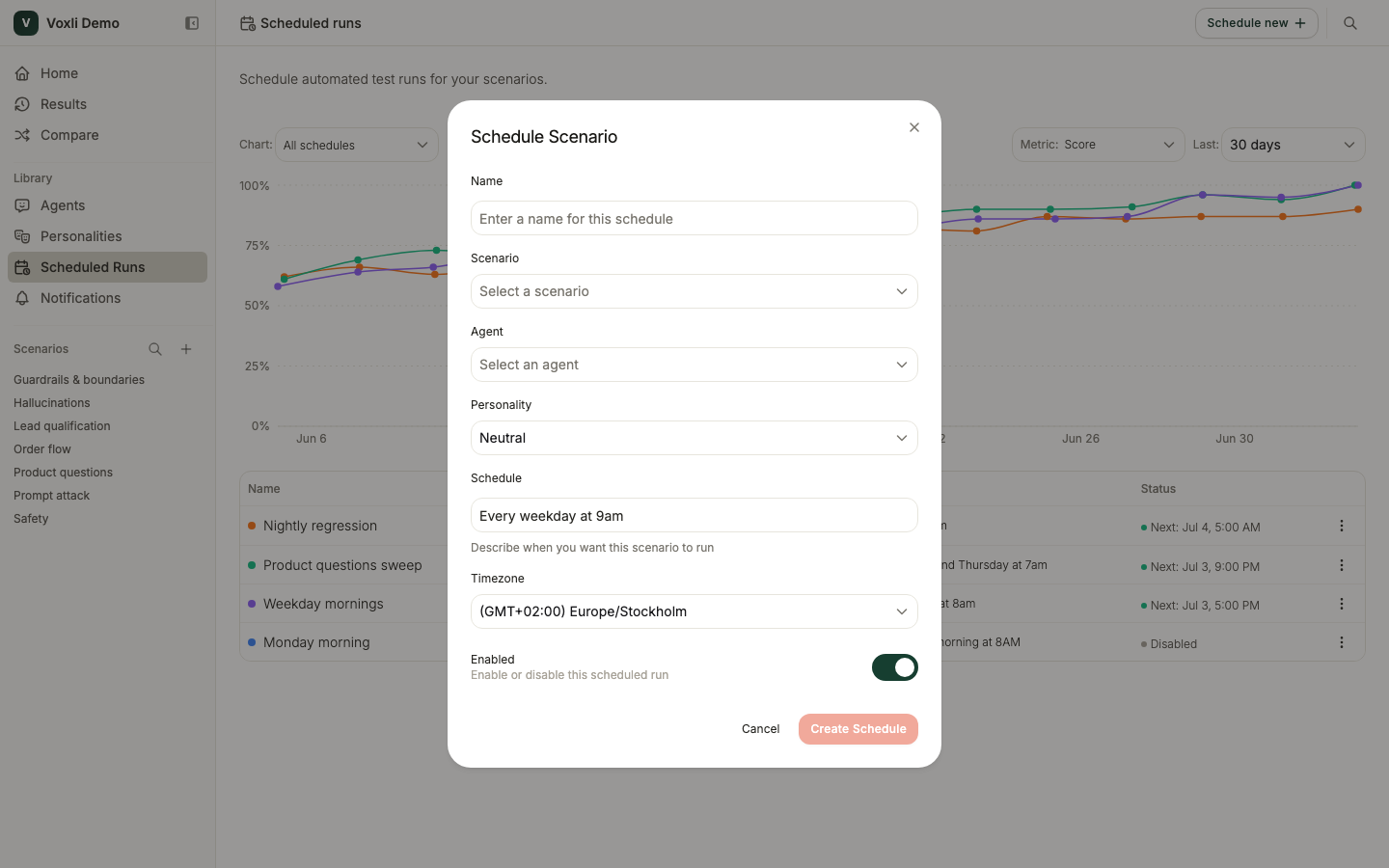
The Scheduled Runs page
The page tracks how your schedules perform over time. It has two parts: a roster table of your schedules, and - once they have fired - a trend chart above it.
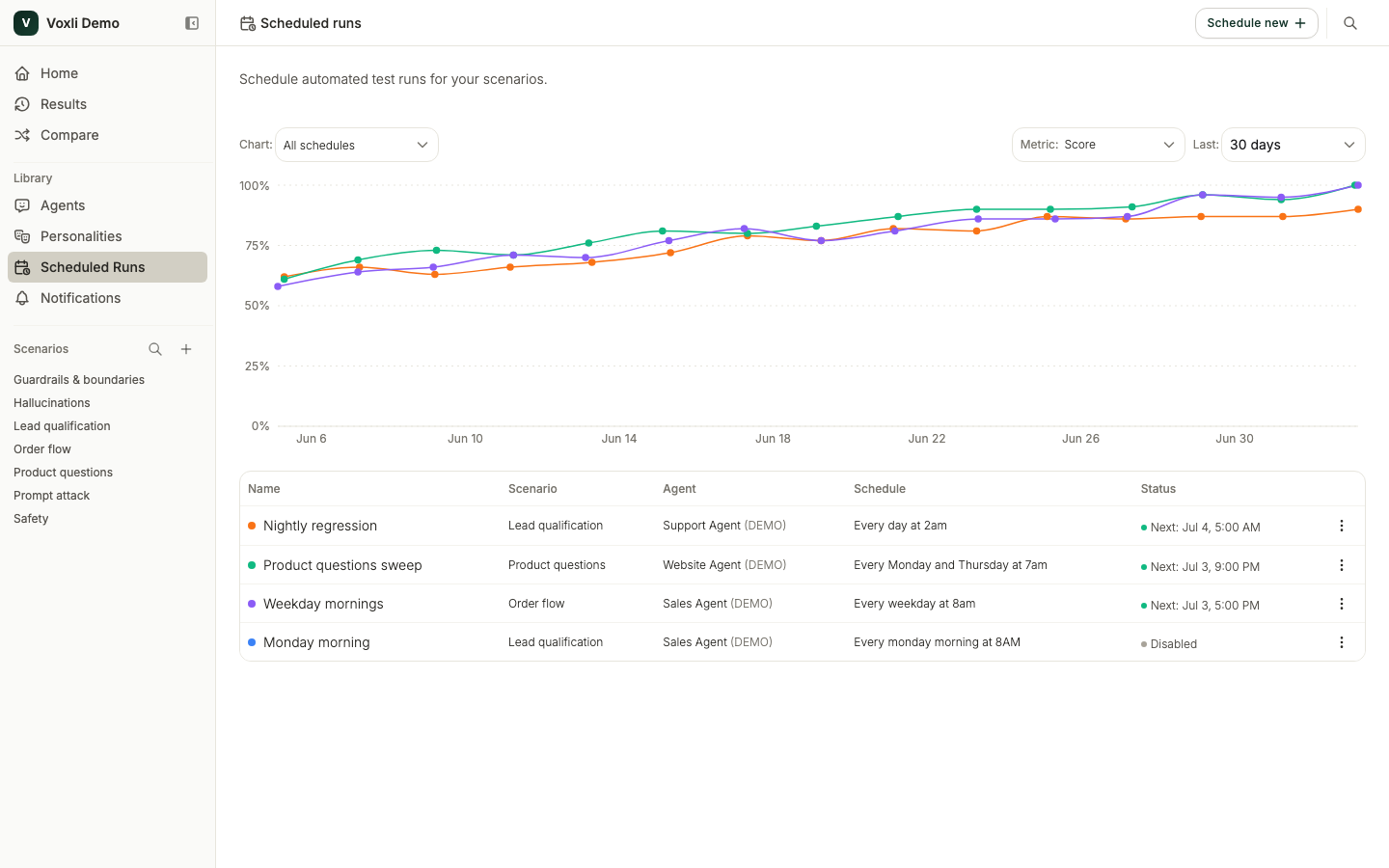
The roster table
The table lists every schedule with its scenario, agent, cadence, and status. The status shows when the next run is due, or Disabled if the schedule is paused. Click a row to edit it, or use the three-dot menu to:
- Enable or Disable a schedule without deleting it. Disabled schedules keep their configuration but do not execute.
- Edit a schedule to change its settings.
- Archive a schedule to remove it.
The trend chart
Once your schedules have fired, a trend chart appears above the table with one line per schedule, so you can watch quality move run over run. Use the controls above it to shape the view:
- The metric to plot: score, hallucination count, or any custom metric you have configured.
- The time range: the last 7, 14, or 30 days.
- A schedule filter to focus on specific schedules. This narrows the chart only, not the table below.
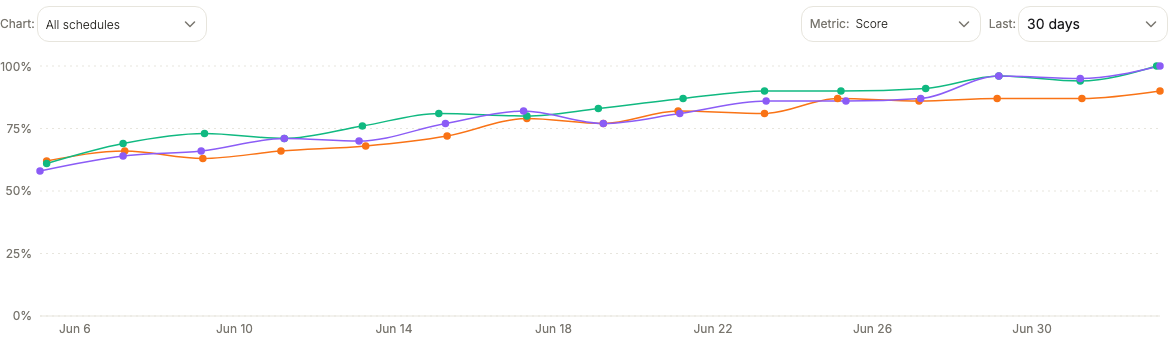
Each point is one firing. A filled dot is a completed run; a hollow dot is a run that failed or did not finish. Hover a point to see every schedule that fired at that time, and click a firing to open its run.
Notifications
Get alerted when a scheduled run fails. Open the Notifications page from the left sidebar and click Create notification. Each notification is tied to one scheduled run and is delivered by email, Slack, or both.
Set a Failure threshold to control which severity triggers an alert:
- Blocker - only notify on blocker failures.
- Medium - notify on medium or blocker failures.
- Low - notify on any assertion failure.
See Assertions for how severities work.
Turn on Notify via Email and add one or more recipient addresses. Voxli sends a summary email when a scheduled run finishes with at least one failure that meets your threshold.
Slack
Turn on Notify via Slack and enter the channel name (for example, general - no # prefix). Voxli posts a message into that channel when a scheduled run finishes with a failure that meets your threshold.
The Slack option is only available once you have connected Slack under Settings > Integrations. See Slack Integration for the connection steps. The Voxli bot must be invited to the channel before it can post - type /invite @Voxli in the channel. Use the Test button to verify the connection works before saving.
What’s next
- Run a Test - the manual run workflow.
- Comparing Agents - evaluate an agent across scenarios and personalities.