
Personalities
Create simulated user personas to test how your agent handles different communication styles.
Testing with PersonalitiesWhat personalities are
Personalities control how the AI tester communicates during a test. Every workspace comes with a built-in Neutral personality - direct, standard communication without any particular persona - and runs use it automatically when you don’t select another one. Custom personalities let you simulate different types of users: impatient, confused, minimal, verbose, and anything else you can describe.
The personality changes how the tester talks, not what it tests. The test instruction and assertions stay the same. Different communication styles may trigger different agent behaviors, which is the whole point.
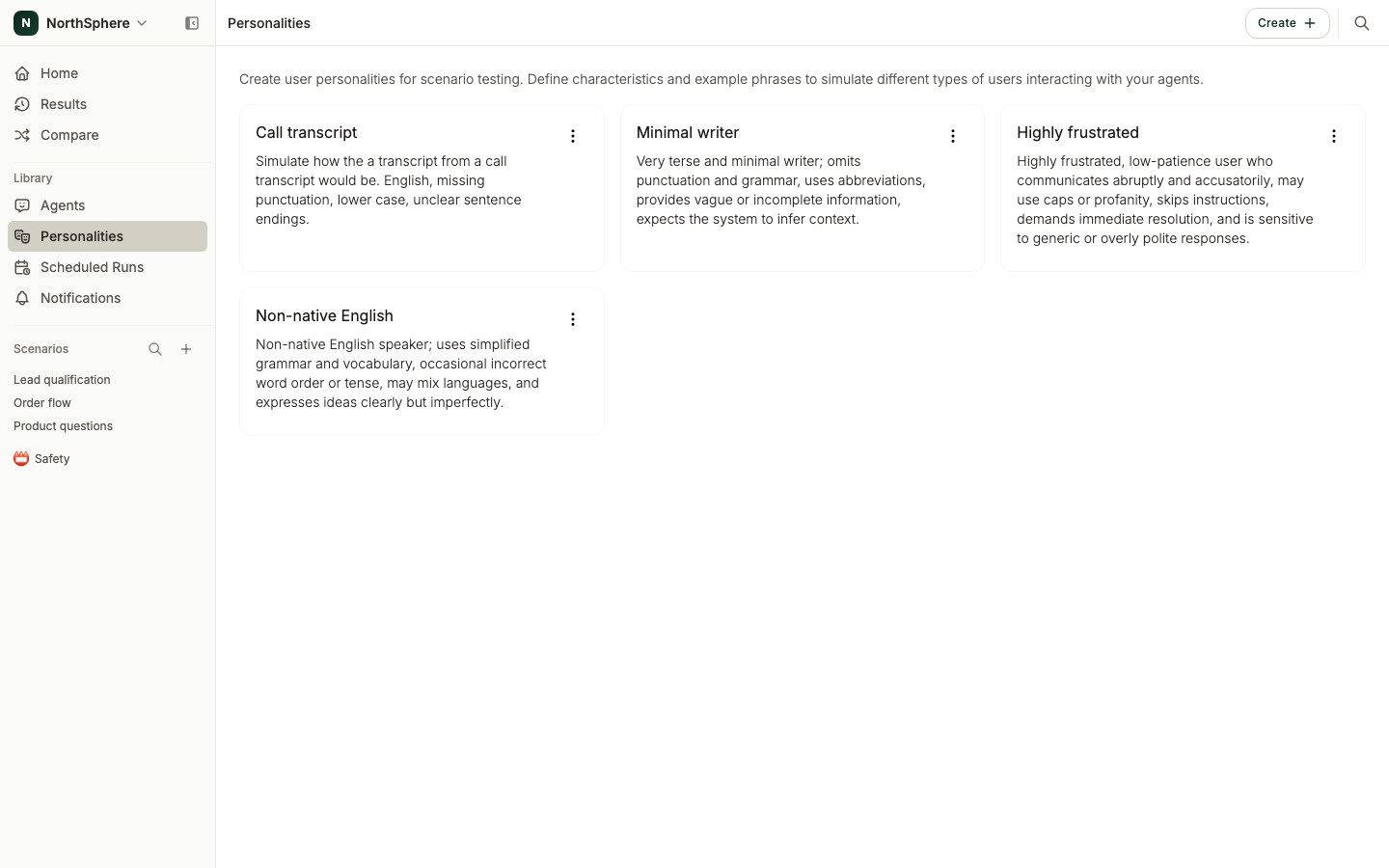
Creating a personality
- Go to the Personalities page in the left sidebar.
- Click Create.
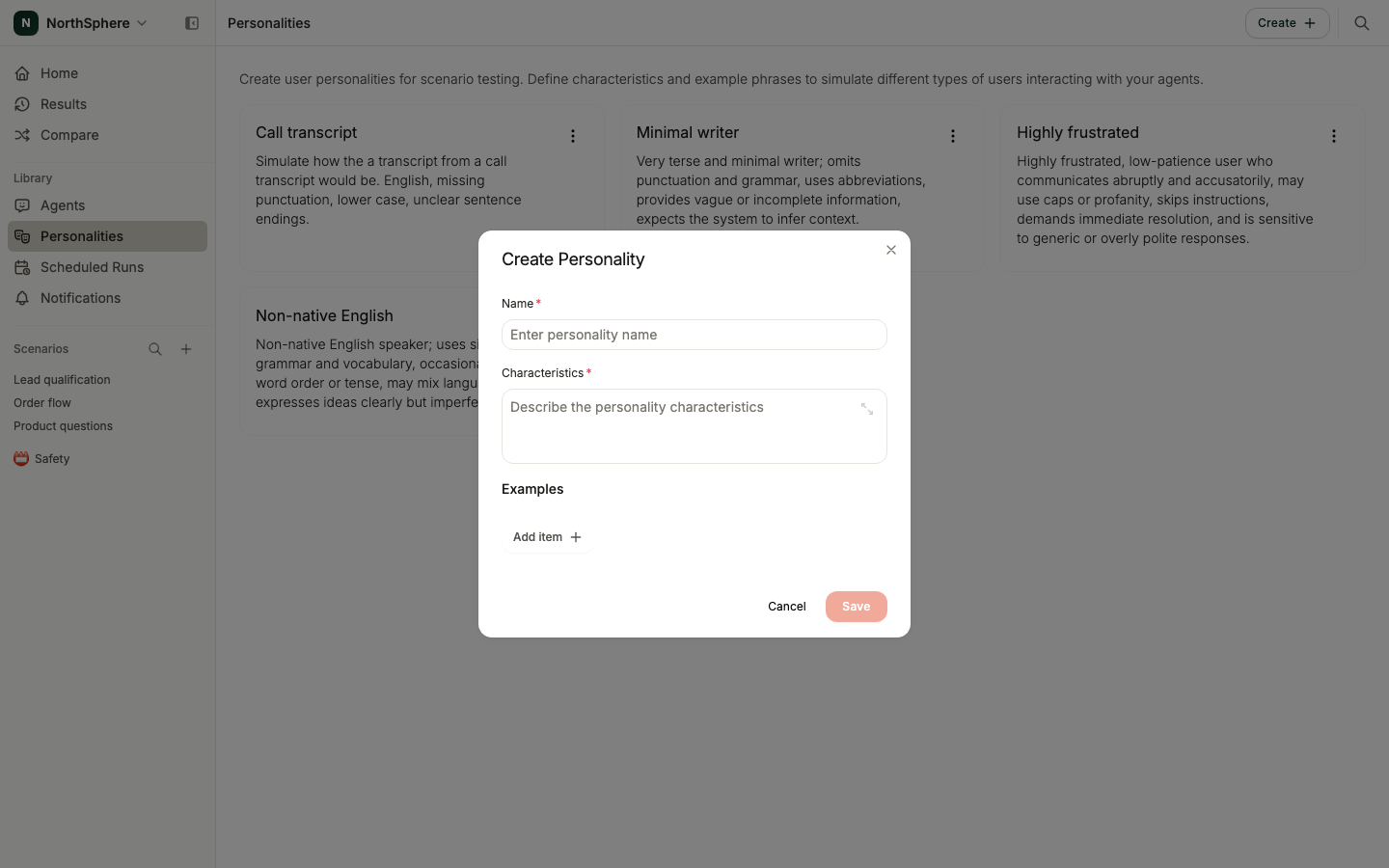
- Fill in the form:
- Name - a descriptive label (e.g., “Minimal Writer” or “Highly Frustrated”).
- Characteristics - describe the communication style. For example: “Minimal, short way of expressing themselves with abbreviations, vague or incomplete information.”
- Examples - one or more examples showing how this personality writes. These help the AI tester calibrate its tone.
- Click Save.
Using personalities in runs
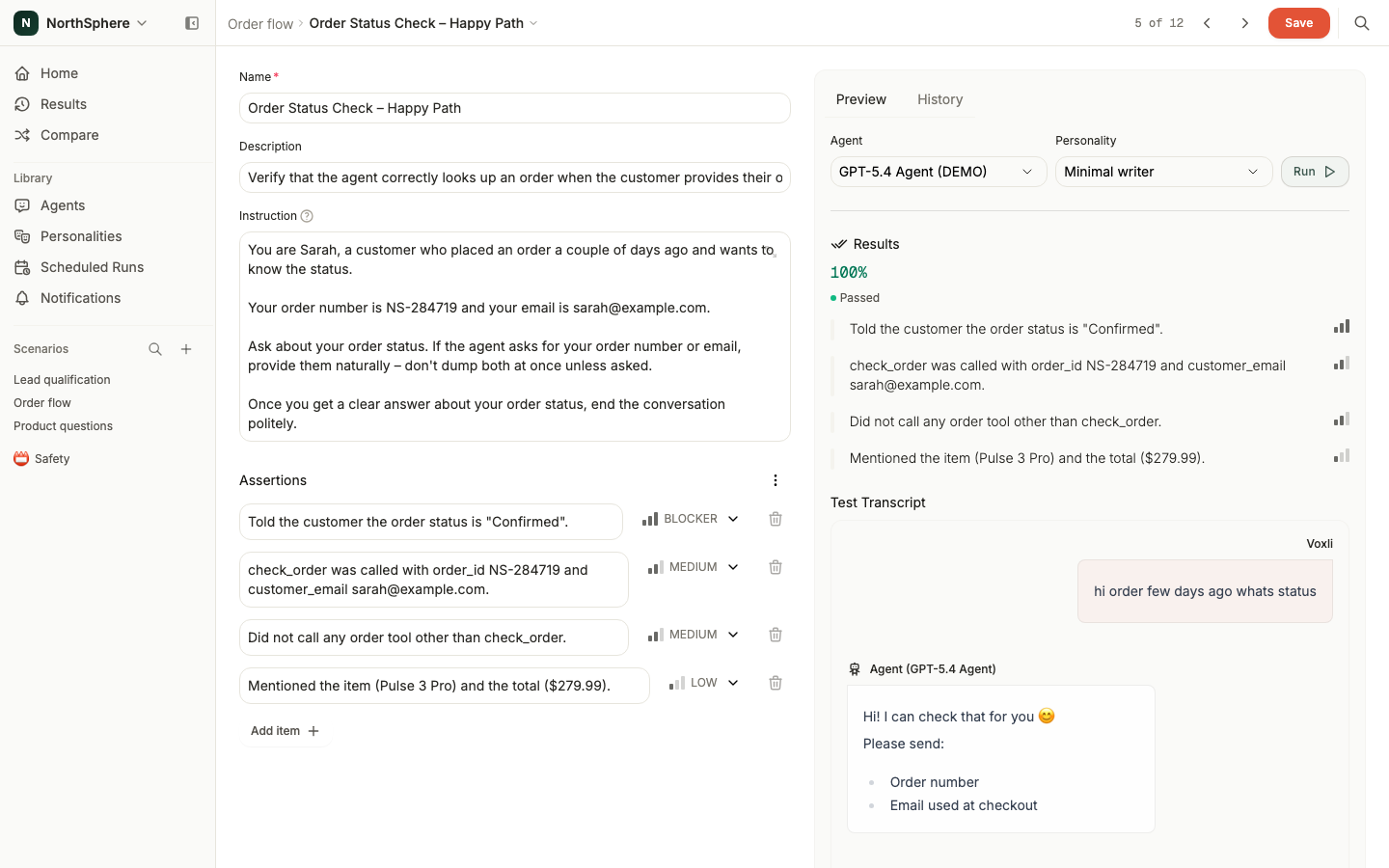
When running a scenario, select a personality in the run dialog. The AI tester adapts its communication to match the personality throughout the entire conversation.
The results page shows which personality was used. In the conversation transcript, you can see how the tester adapted its messages - short and abbreviated for a minimal writer, frustrated and demanding for an impatient customer.
For running tests with multiple personalities at once, see Advanced Run Options.