
Advanced Run Options
Select specific tests, add more scenarios or agents, run with multiple personalities, and repeat tests to detect flaky behavior.
Advanced Scenario RunningTurning on Advanced
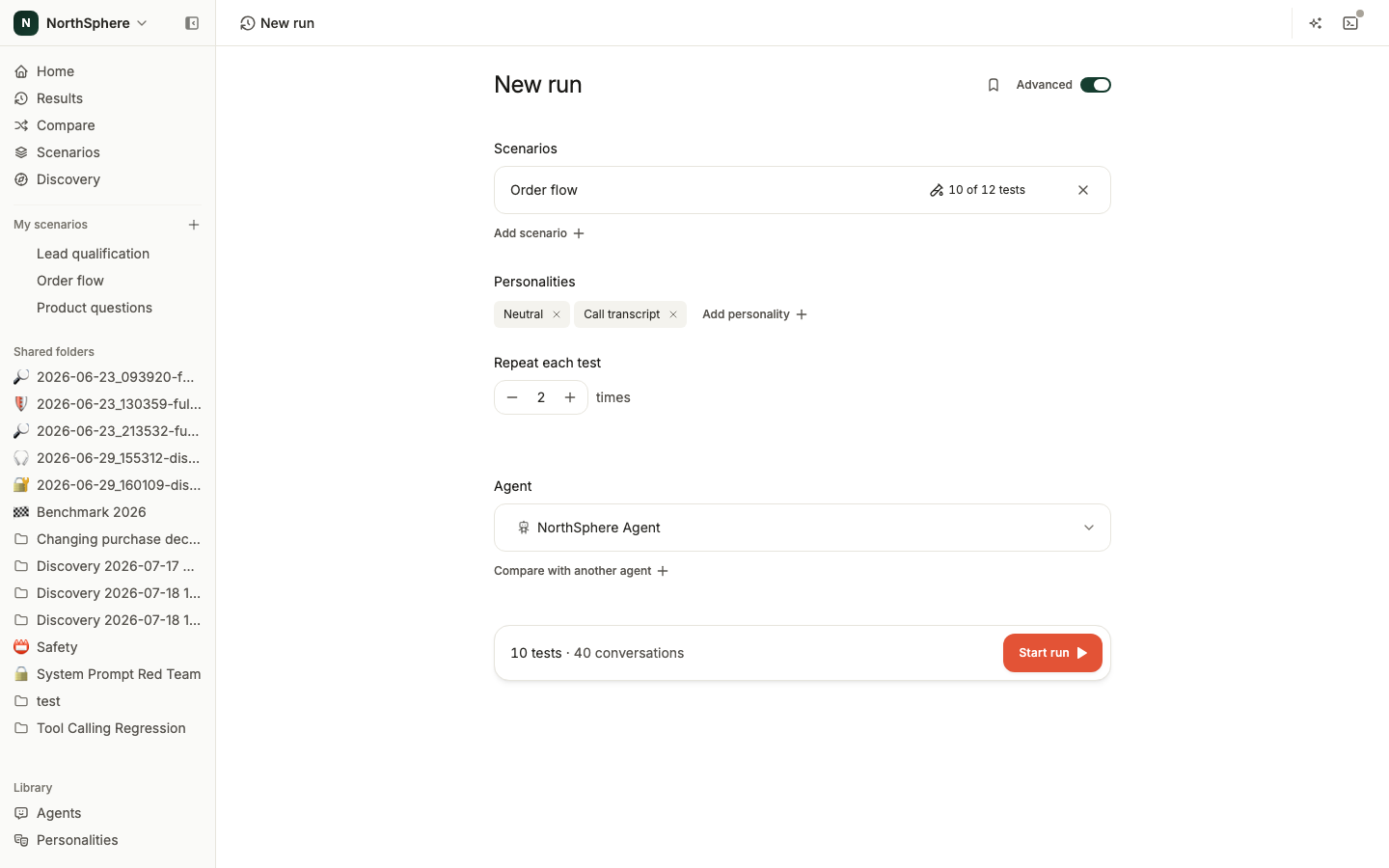
New run’s basic view lets you pick one scenario, one agent, and one personality. The Advanced switch, in the top-right of the page, gives you more control.
- On the scenario detail page, click Run to open New run.
- Turn on the Advanced switch.
- The page expands to show test selection, more scenarios and agents, multi-personality, and a repeat count.
Test selection
By default, all enabled tests in a scenario are selected. Point at a scenario row and click its tests control to open the checklist and pick specific ones.
This is useful when you only want to re-run a few failing tests instead of the entire scenario.
Multiple scenarios and agents
With Advanced on, Add scenario adds another scenario to the same run, and Compare with another agent adds another agent. Starting a run on more than one agent at once creates a comparison of the new runs, which is how you test a model swap without building a comparison by hand afterward. See Comparing Agents.
API agents can’t be picked here.
Multiple personalities
In Advanced, you can select more than one personality. Each selected personality creates a separate execution of each test.
For example, if you select 3 tests and 2 personalities, Voxli runs 6 test executions - every test with every personality.
To create custom personalities, see Personalities.
Repeat each test
Set a repeat count between 1 and 10. Each test runs that many times, to help you detect inconsistent behavior.
A test that passes 3 out of 3 times is more reliable than one that passes 2 out of 3. Repeats are the fastest way to catch flaky tests.
Understanding the total count
The launch bar at the bottom of the page shows the total number of test executions:
Total = selected tests x selected personalities x repeats
For example: 3 tests x 2 personalities x 3 repeats = 18 test executions.
Saving the setup as a preset
Once a setup is the way you want it, save it as a preset so anyone in the workspace can start it again without rebuilding it.
What’s next
- Run a Test - the basic run workflow.
- Comparing Agents - read several runs side by side.
- Personalities - create custom communication styles for the AI tester.