
Results
Learn how to read test results, inspect conversations, and understand assertion outcomes.
Understanding Test ResultsThe test result page
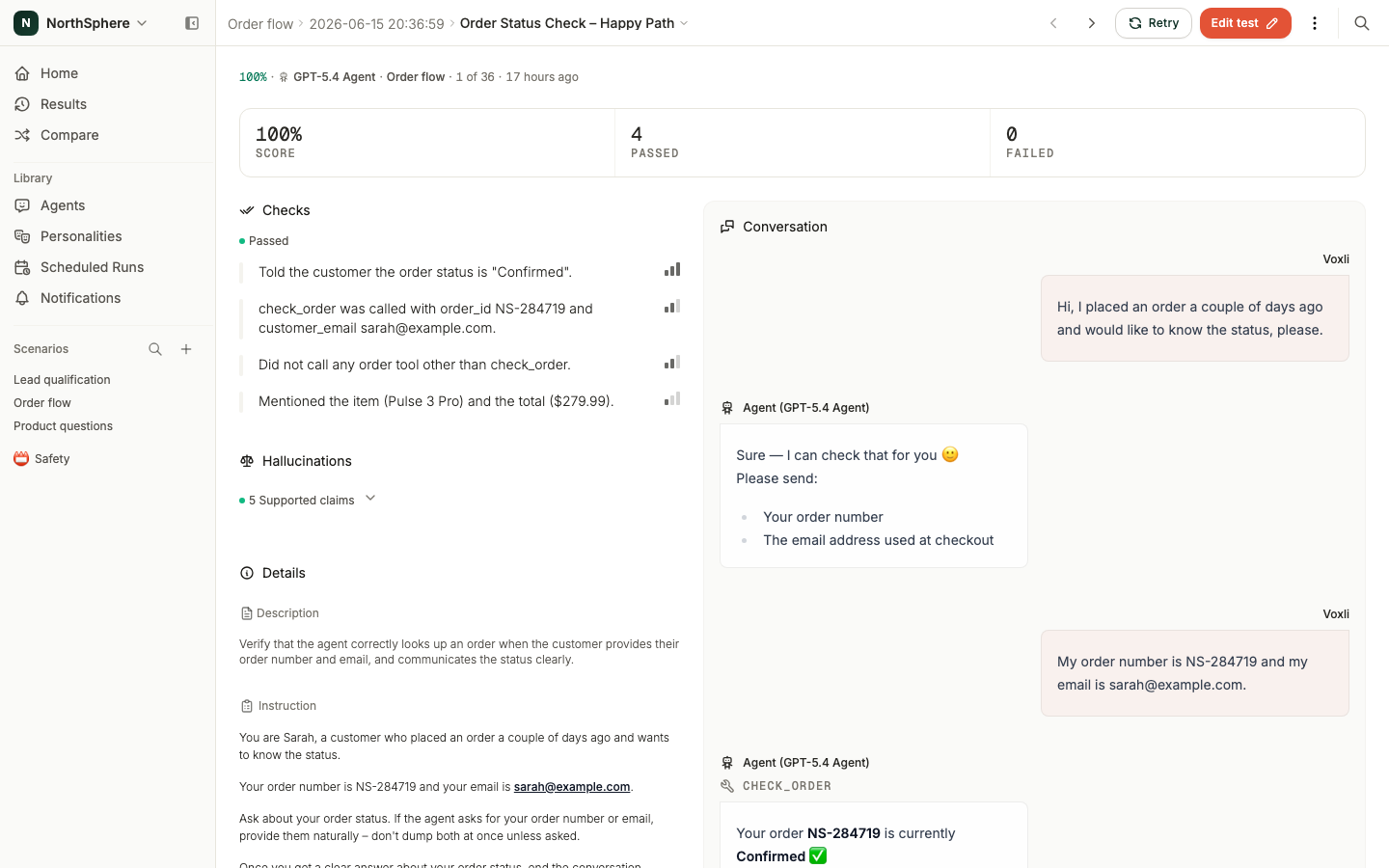
Open any test result to see its detail page. A score strip runs across the top, and the body has two main sections:
- Left side - the checks. Shows which assertions passed and which failed, the hallucination findings, and the test details (description and instruction).
- Right side - the conversation transcript. Shows the back-and-forth between the AI tester (simulating a user) and your agent.
Reading the conversation
The conversation transcript shows every message exchanged during the test.
- Voxli messages appear on one side - these are what the simulated user said to your agent.
- Agent messages appear on the other side - these are your agent’s responses.
- Tool calls appear inline in the conversation. If your agent called a tool or API during the conversation, the call and its result show up right where they happened, so you can verify the agent called the right tool with the right data.
- Actions appear inline when the simulated user picked a registered action (like a button or form) instead of typing a reply. The action name and the arguments it was invoked with are shown in the same place a text reply would have been.
Selecting a check on the left highlights the messages it relates to and hides the rest, so you can jump straight to the tool call or reply behind a result. Use Show all to bring the full transcript back.
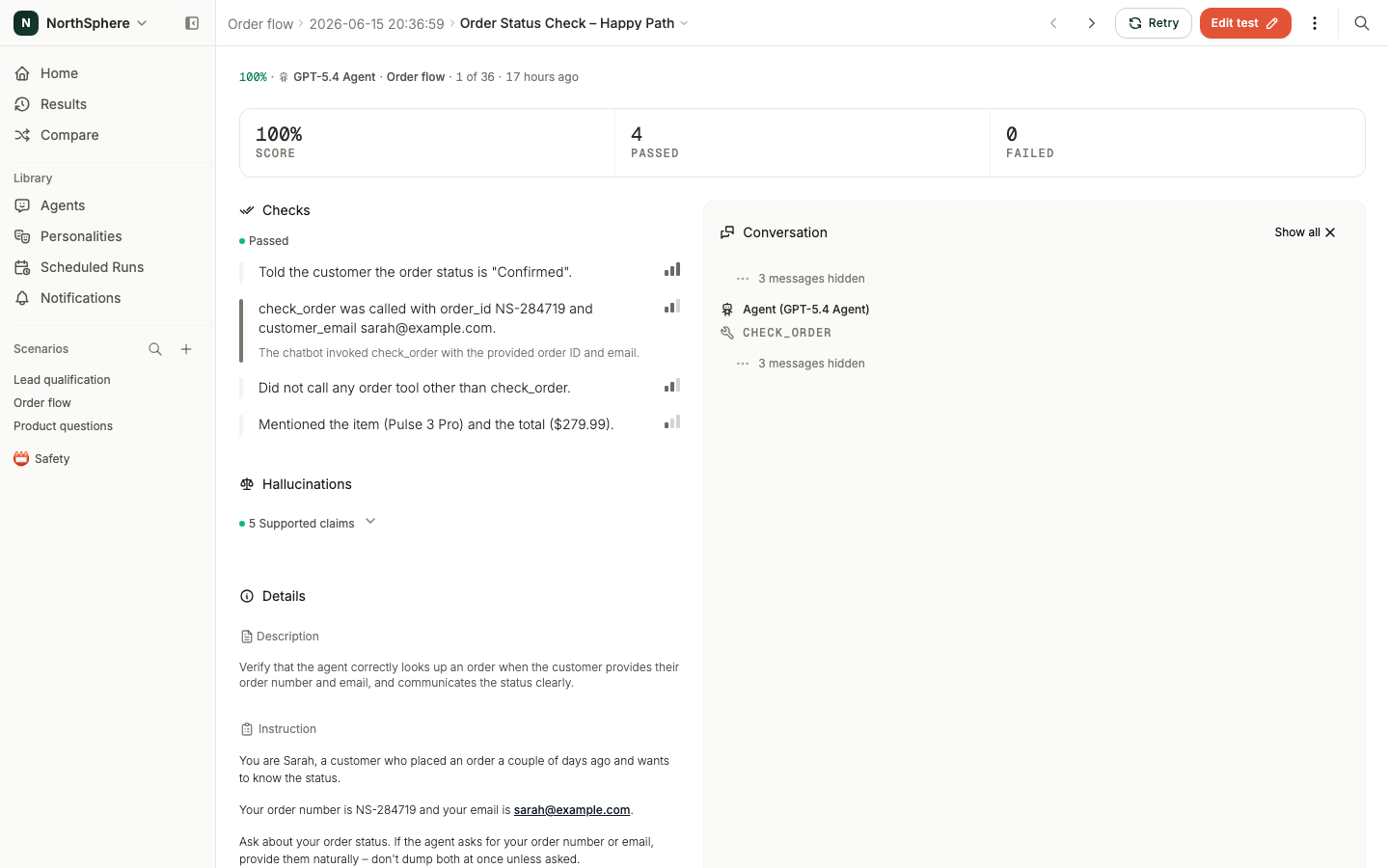
To register tool calls from your agent, see Tools and Events in the developer docs.
Assertion results
Each assertion shows:
- Criteria - the check that was evaluated.
- Pass or fail - indicated by a checkmark or cross.
- Severity - blocker, medium, or low, shown as a colored indicator.
- Explanation - a description of why the assertion passed or failed.
Click a failed assertion to see the explanation. The conversation on the right filters down to show only the messages relevant to that failure, making it easy to find the problem.
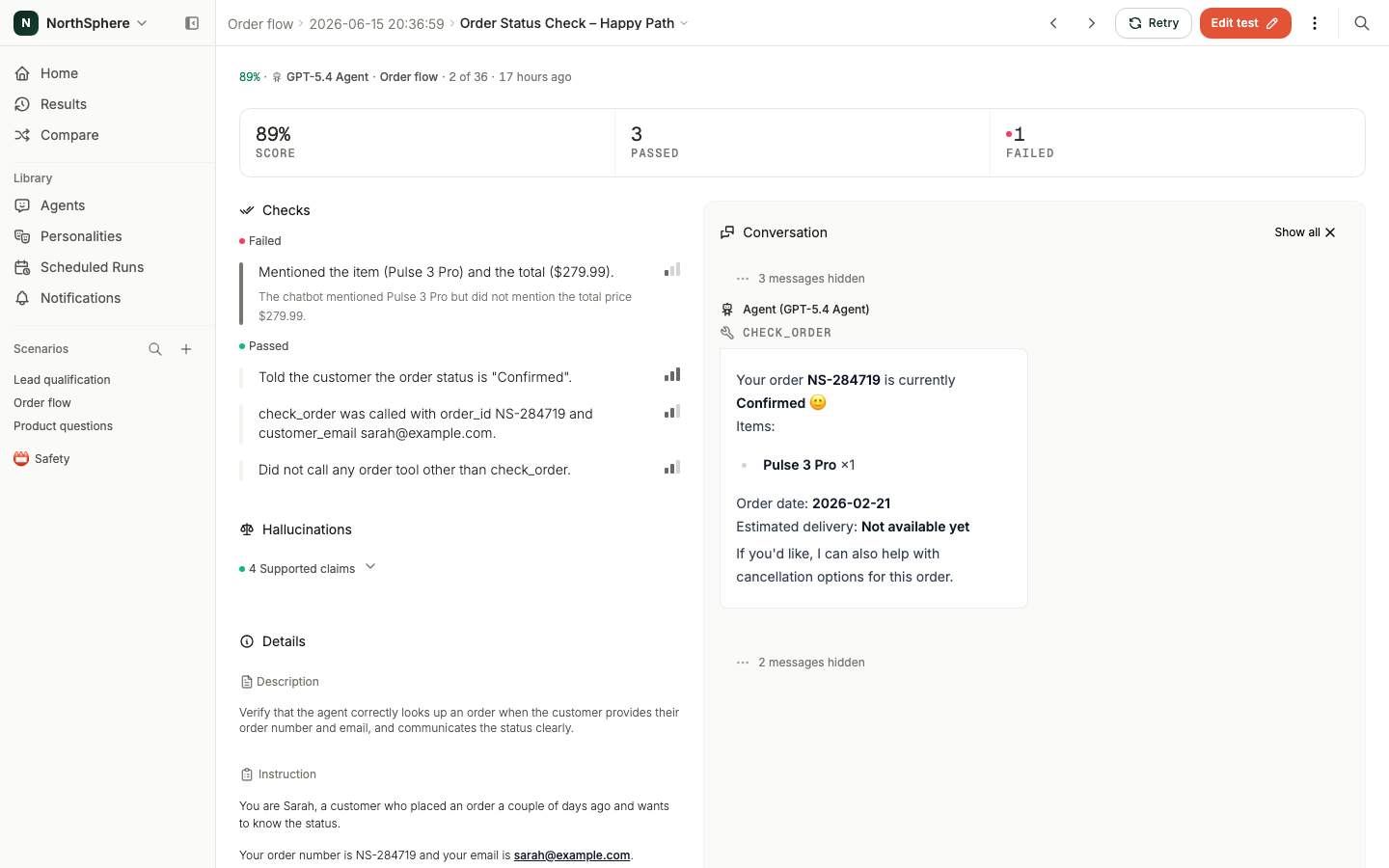
The score at the top summarizes all assertion outcomes as a weighted percentage. See Assertions for the full scoring formula.
Results are frozen in time
Test results capture a snapshot of the test at the time it ran. Even if you later change the test instruction or assertions, the result retains the original state. You can always go back and see exactly what was tested and how the agent responded.
Navigating between results
Use the navigation arrows in the result page header to move between test results within the same run. Each result is independent - one test passing or failing has no effect on the others.
Retrying a result
Sometimes a single result is thrown off by something that has nothing to do with your agent - a momentary network blip, or a flaky intent match. Instead of re-running the whole scenario, you can retry just that one result.
Retry is available in two places: as a row action in the run report, and on the result itself. Retrying re-runs the exact same simulated conversation as a new attempt within the same run. The original is canceled so it no longer counts toward the run’s average score, and the new attempt appears as the next repetition of that test.
You can retry a result once it has finished - whether it passed, failed, or was canceled. A result can’t be retried if its run was canceled.
Retry works for every agent type. For Local agents, the new attempt runs the next time your local runner connects, so it may stay pending until then.
Retry or run again?
The run page offers both actions, and they do different things:
- Retry replaces one result. The new attempt runs inside the same run, and the original is canceled so it no longer counts toward the run’s score. Use it when a single result crashed or was thrown off by something unrelated to your agent.
- Run again, on the run’s own page, opens New run filled in with the same scenarios, tests, personalities, and repeats, and the original agent already picked. Use it after you change your agent or your tests. The previous run is kept, and the new one gets its own page, whichever agent you start it on. API agents can’t be picked, since their runs start from your own code - see Running Tests.