
Assertions
Understand how assertions work, how severity levels affect scoring, and how Voxli calculates test scores.
Assertions and ScoringWhat assertions do
Assertions are pass/fail checks that run after a test conversation ends. Each assertion has two parts:
- Criteria - a plain-language description of what to check. For example: “The agent confirms the order status is shipped.”
- Severity - how important this check is. Blocker, medium, or low.
After the conversation finishes, an AI evaluator reads the full transcript and decides whether each assertion passed or failed. You can add up to 10 assertions per test.
To learn how to add assertions when creating a test, see Create a Scenario.
Severity levels
Each assertion has a severity level that controls how much it affects the test score.
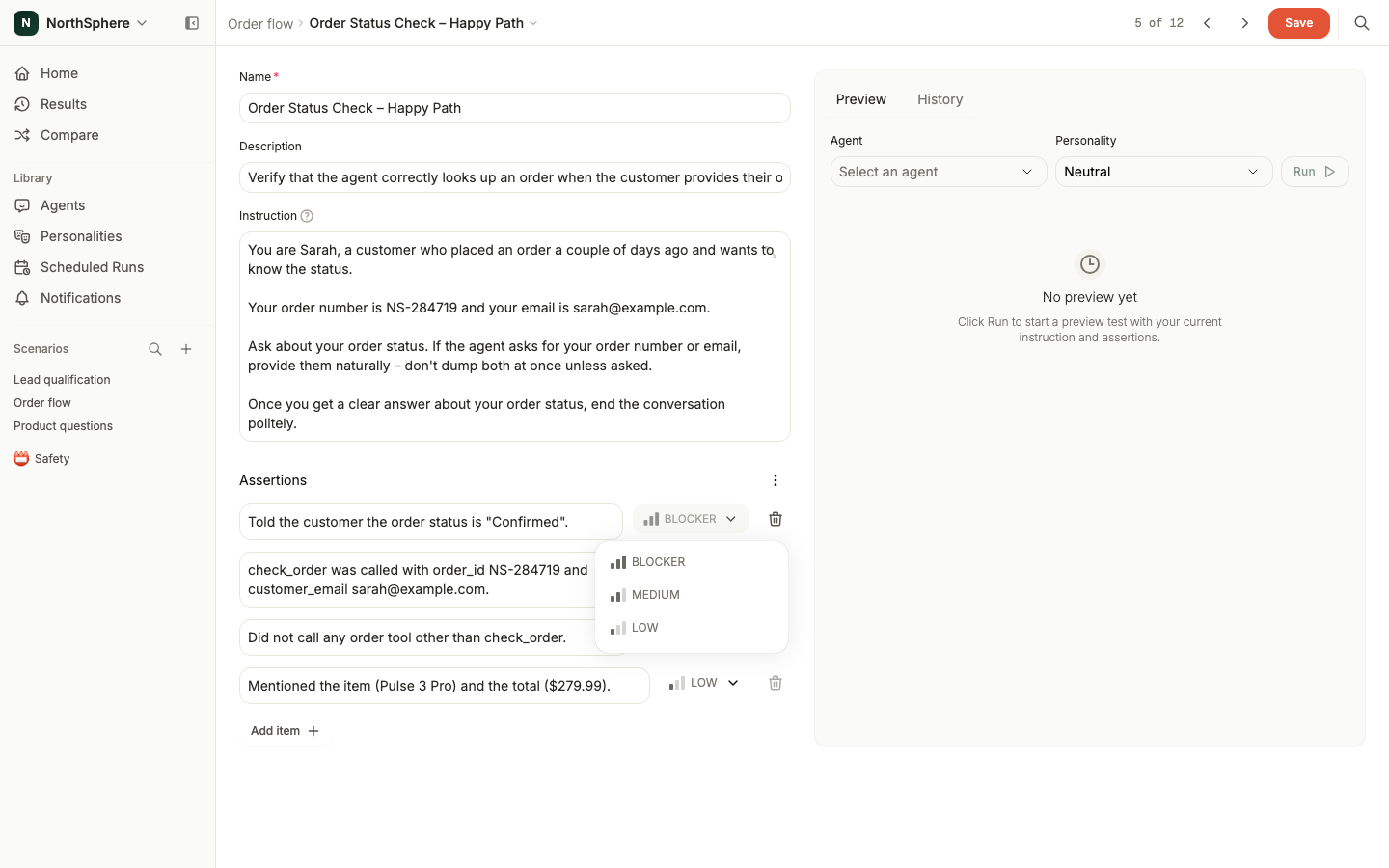
Blocker - Critical requirements. If any blocker assertion fails, the entire test is considered failed regardless of the overall score. Use blockers for safety rules, core functionality, and must-do actions.
Medium - Important checks that aren’t dealbreakers. Use medium for expected behaviors and standard responses.
Low - Nice-to-have verifications. Use low for tone, formatting, and optional details.
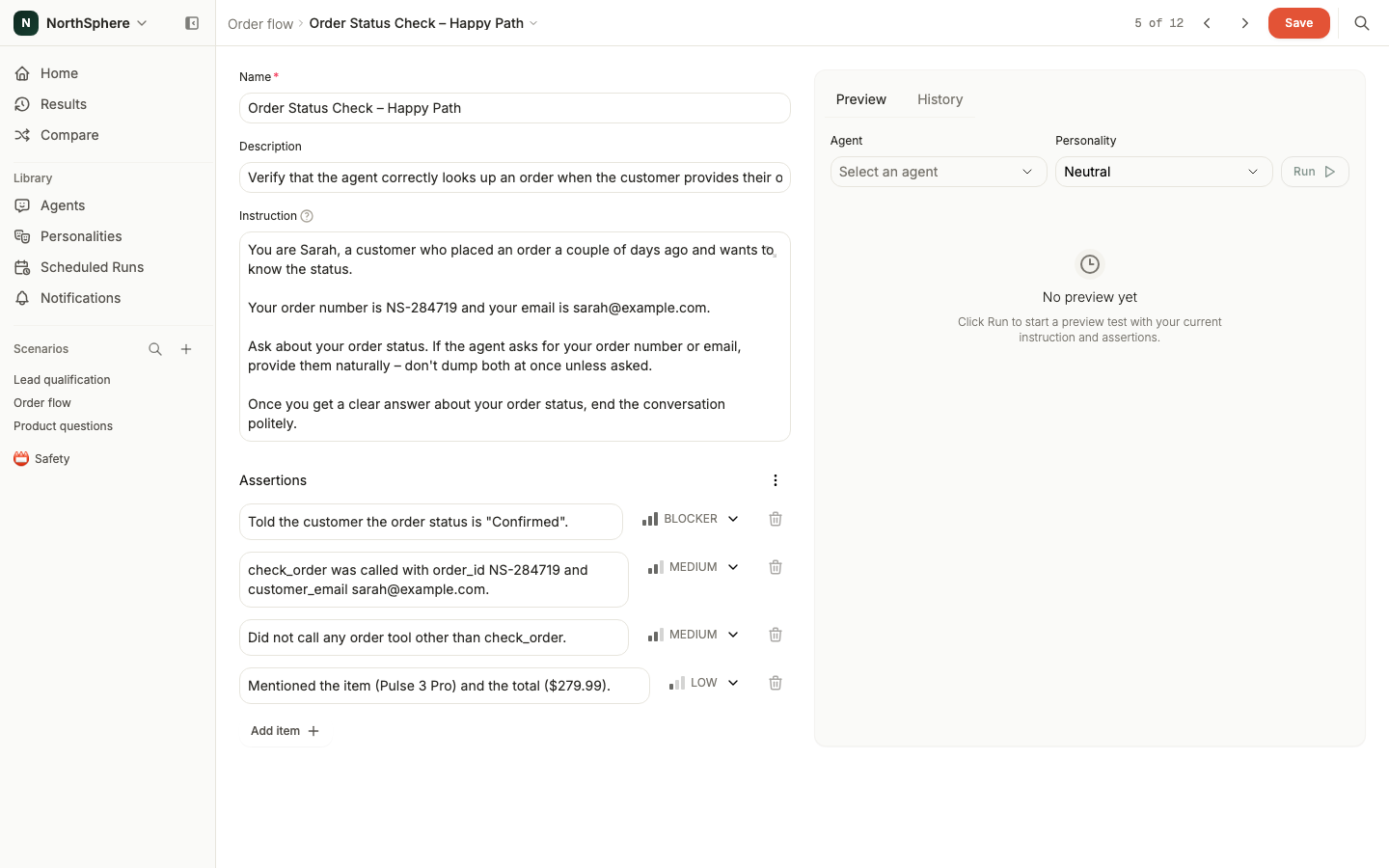
Set each assertion’s severity from the dropdown beside it.
How scoring works
Each severity level has a weight:
| Severity | Weight |
|---|---|
| Blocker | 4 |
| Medium | 2 |
| Low | 1 |
The test score is a weighted percentage:
Score = (sum of passed assertion weights / sum of all assertion weights) x 100
Worked example
A test has 4 assertions: 2 blockers, 1 medium, and 1 low.
- Total weight = 4 + 4 + 2 + 1 = 11
- If 1 blocker fails, the passed weight = 4 + 2 + 1 = 7
- Score = 7 / 11 x 100 = 63%
Even though the score is 63%, this test is marked as failed because a blocker assertion didn’t pass. A test only passes when all blocker assertions pass - regardless of the overall score.
Tool call assertions
Your assertions can check whether the agent called specific tools during the conversation. For example:
The agent calls the check_order tool with the correct order ID.
Tool calls and their return values are visible in the conversation transcript, so the evaluator can verify both that the right tool was called and that the right data was passed. See Results for how to inspect tool calls in the results view.
For a worked example, see Test whether a cancellation question triggers a destructive tool call. It pairs a customer instruction with an assertion that checks whether the agent called a cancellation tool.